
Play Cobb Can Move Mobile - Browser Horror on Any Device
Cobb Can Move is built with HTML5 and Canvas technology, which means it runs directly in your mobile browser. No APK download, no app store registration, no installation—just open and play.
Whether you're on an Android phone, iPhone, or tablet, you can experience the Major Jam 7 winning horror game on the go.
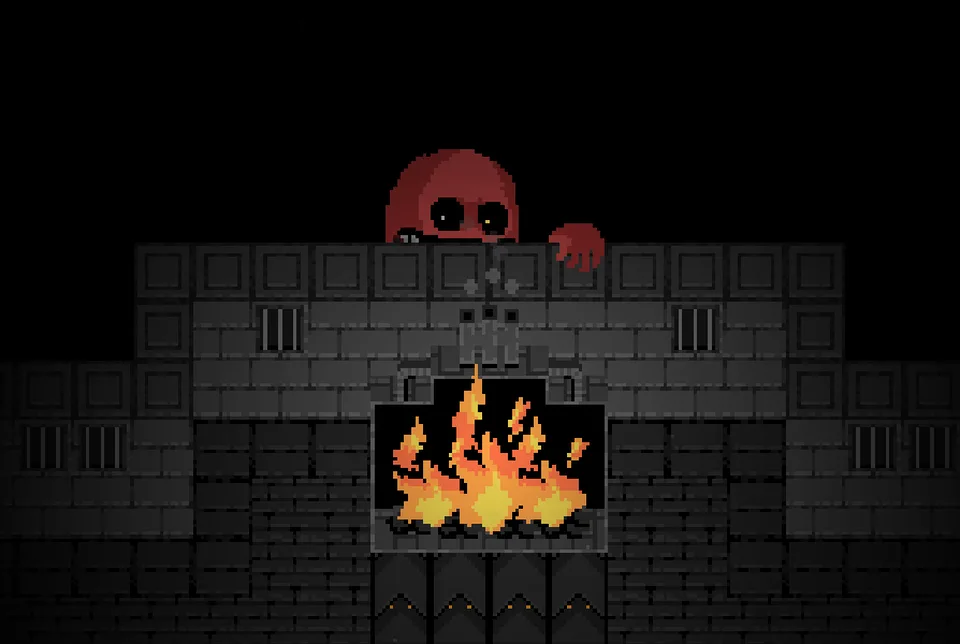
How to Play on Mobile
On Android
- Open Chrome, Firefox, or your preferred browser
- Navigate to the game page
- Tap Play to start
- Use on-screen touch controls to navigate
- Tap on objects and switches to interact
Tip: For the best experience on Android, use Chrome and enable "Desktop site" mode in settings. This ensures the game renders at full resolution.
On iPhone / iPad
- Open Safari or Chrome
- Navigate to the game page
- Tap Play to start
- Use touch controls to play
Note: Safari on iOS handles HTML5 Canvas games well. If you experience lag, try Chrome instead.
On Tablets
Both Android tablets and iPads work great with Cobb Can Move. The larger screen gives you a better view of the dungeon layout and more precision for movement.
Mobile Controls
The game has been optimized for touch input:
| Action | How to Do It |
|---|---|
| Move | Tap and hold in the direction you want to go, or use virtual D-pad |
| Interact | Tap on switches, objects, or the furnace |
| Pause | Tap the pause button (top corner) |
| Restart | Available in pause menu |
Pro tip: The game saves automatically. If you close the browser, your progress is preserved.
Browser Requirements
Minimum Requirements
| Requirement | Specification |
|---|---|
| Browser | Chrome 70+, Firefox 65+, Safari 12+, Edge 79+ |
| OS | Android 5.0+, iOS 12+, iPadOS 12+ |
| Internet | Stable connection (game loads once, then runs locally) |
| Storage | 50 MB of browser cache |
For Best Performance
- Use a recent version of Chrome or Safari
- Ensure JavaScript is enabled
- Allow notifications (for save confirmations)
- Keep 3+ tabs closed to free up RAM
Mobile vs Desktop Experience
| Feature | Mobile | Desktop |
|---|---|---|
| Controls | Touch D-pad | WASD / Arrow keys |
| Screen Size | Phone/Tablet | Monitor |
| Controls Precision | Good | Excellent |
| Atmosphere | Very good | Excellent |
| Audio | Speakers or headphones | Full spatial audio |
| Recommended? | For casual play | For serious attempts |
Recommendation: For your first 5-10 attempts, play on desktop with a keyboard. The precision and audio quality significantly improve your ability to learn the rules. Once you're comfortable, mobile play is excellent for quick sessions.
No APK Download Required
Unlike traditional Android games that require APK downloads and installation, Cobb Can Move Mobile runs entirely in your browser. This means:
| Benefit | What It Means For You |
|---|---|
| No APK file | Never download risky APK files from unknown sources |
| No installation | No app store registration or permissions to accept |
| No updates | Always the latest version, automatically |
| No storage | No app taking up space on your device |
| Cross-platform | Same game on any device with a browser |
Frequently Asked Questions
Can I download Cobb Can Move as an APK?
Technically, yes—but you don't need to.
The game is built as a web application (HTML5/Canvas), not a native Android app. Running it through your browser gives you the exact same experience without the risks of downloading APKs from third-party sites.
If you still want an APK-style experience, you can use "Add to Home Screen" in Chrome on Android. This creates a shortcut on your home screen that opens the game in full-screen mode—just like an app.
To add to Home Screen:
- Open the game in Chrome on Android
- Tap the menu (three dots)
- Select "Add to Home Screen"
- Tap "Add" to confirm
- The game will appear as an icon on your home screen
Does it work on iPhone?
Yes! Open the game in Safari or Chrome on your iPhone. iOS handles HTML5 games well, and the game runs smoothly.
Will it drain my battery?
HTML5 games are generally battery-efficient compared to native apps. However, Cobb Can Move involves:
- Active gameplay (increases battery use)
- Screen brightness (keep it moderate)
- Sound effects and music (headphones use less than speakers)
Expect similar battery drain to watching a video on YouTube.
Can I play offline?
Partially. The game loads fully on first play and caches in your browser. You can play the game offline for several sessions before the cache clears. For the most reliable experience, play with a stable internet connection.
Can I sync progress between mobile and desktop?
Currently, save states are stored in your browser's local storage on each device. Progress does not automatically sync between devices. Use the same browser on the same device to maintain save states.
Recommended Browsers for Mobile
| Browser | Platform | Rating |
|---|---|---|
| Chrome | Android, iOS | ⭐⭐⭐⭐⭐ Best overall |
| Safari | iOS/iPadOS | ⭐⭐⭐⭐⭐ Native performance |
| Firefox | Android, iOS | ⭐⭐⭐⭐ Good features |
| Edge | Android, iOS | ⭐⭐⭐ Solid option |
Not recommended: UC Browser, Opera Mini (compatibility issues with Canvas)
Play Anywhere, Survive Everywhere
The magic of browser-based games is their freedom. Cobb Can Move proves that you don't need a gaming PC, console, or app store to experience incredible horror gameplay.
Open your browser, survive the rules, and share your score.
Gameplay on Mobile
Continue Exploring:
- Play on Desktop - PC, Mac, Linux versions
- Unblocked Version - Play at school or work
- Survival Tips - Essential strategies